Did you know that up to 80% of what a traditional accountant used to do can now be automated? Technology has improved in every sense of the word and accounting for your small business is no exception. Yet are you still writing paper checks and making back up accounting file copies on a flash drive? You may want to look at the following 5 areas you can take major steps in to virtualize your accounting functions.
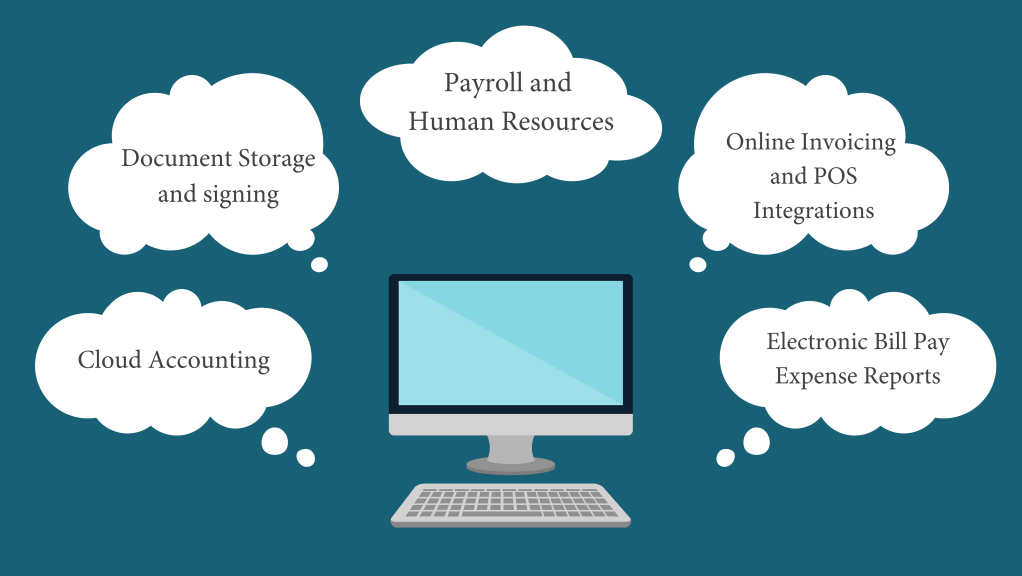
1. Getting Your Accounting Files into the Cloud
With very few exceptions, accounting should be done in the “cloud” with software solutions like QuickBooks Online, Sage or Xero. Leave Excel spreadsheets, color coded bank statements and Desktop methods in the past. Cloud accounting allows team members to access the file even when on vacation or sick at home. It removes the “silo” of information that often happens when only the accountant can access the file on his computer. Bank feeds, which directly connect your file with your bank, allow transactions that happen to be entered with very little effort and fewer mistakes. Also, bank rules can be set up to automatically code transactions. For example, every month when you pay your electric bill, the software knows what it is and categorizes it automatically. Lastly, no backup copies or file updates are needed as everything is stored off site in the cloud. This can be scary for some but is objectively safer than storing your information locally.
2. Ditch the Paper
Utilize cloud document storage solutions such as Dropbox, OneDrive or Google Drive. These allow you to keep all documents online and not on your computer’s desktop. You will be able to access documents from any computer or mobile device, which is extremely handy when you are out and about and need a quick piece of information. You can share files with your team and collaborate on them together, without needing to send versions back and forth.
In order to get all the paper into the system, you don’t need a fancy scanner. Try using a mobile scanner like Adobe Scan, which can be downloaded as an app.
If you send agreements and forms to customers, highly consider an online signing application like Adobe Sign or DocuSign. These remove the extra steps for your customers and allow them to sign agreements faster – which is always better!
3. Make Employees Happy
Direct deposit payroll is not new, but the user ease and supportive features of this area are new. Look for a payroll software that automatically pays and files your payroll taxes. It should support your new hire onboarding processes, such as sending New Hire reports to the state and allowing employees to self-onboard online (accept employment offers and enter personal, W4 and Direct Deposit information). Employees should be able to access paystub information and request vacation/PTO time online as well. Time can be tracked through an app and managers can approve hours worked and vacation requests. For payroll, I recommend and use Gusto.
4. Get Paid Faster
Cash is your lifeline. Getting paid faster accelerates your business. Send electronic invoices by email to your customers. They can conveniently pay online using ACH transfers or credit/debit cards. You can also automatically charge clients for recurring services so you don’t need to chase clients every month. Reminders can be set up and sent easily for late invoices. You will be able to see when customers have viewed your invoice. Online payments and deposits are then automatically recorded saving you time. Consider QuickBooks Payments, Square or PayPal.
If you collect Point of Sale receipts, connect your POS system, such as Square, Amazon, Shopify, or Paypal to your accounting software using an integration. These systems can be “mapped” to your accounting software so that transactions are entered immediately including the items sold, shipping charges, and sales tax with no manual entry.
5. Become Audit Proof
We all know that we need to keep copies of our receipts, but even the best of us can get lazy. Receipts end up in a pile and lost in the shuffle. Implement a paper-less system to solve this.
Receipts can be directly scanned immediately into your accounting file by using a mobile app or sent to a dedicated receipts email address. Artificial Intelligence (AI) in the accounting software can read the receipts and attach them to the correct transactions. QuickBooks Online does this or third-party vendors such as Receipt Bank and Dokka specialize with this type of AI.
Bills can also be scanned, coded, approved and paid electronically. Consider solutions such as Bill.com or Melio. They will allow the business to keep copies of all invoices paid and have strong internal controls around cash disbursements. Vendors can be paid by paper checks mailed directly from the bill payment processor or sign up for even faster e-Payments.
Employee expense reports should be streamlined as well. Consider Divvy, an employee expense charge card with flexible budgets and access portals for each user to scan receipt copies and write notes. Managers approve the transactions electronically and do not need to collect manually completed expense reports.
If you are new to the virtual arena, I’ve put these suggestions in the order of systems I would recommend implementing to let robots do more of your heavy lifting. There is a lot to learn, but going step by step, you will be able to keep your business’ finances moving from anywhere in the world, even if that is just at home on your couch.

 Step By Step Accounting
Leave a comment